Web Templates: What They Are, Types, and Which One to Choose for Your Website

Table of Contents

If you have ever wanted to create a website, you have surely encountered the dilemma of where to startNot all of us have advanced programming skills, but that doesn't mean we can't have a professional, well-designed website.

This is where the Web templates, a solution that has revolutionized the way websites are created. Thanks to them, it's no longer necessary to write code from scratch to build an attractive and functional page.

But What is a web template really? How does it differ from a theme? What types exist, and which one should you choose for your business or personal project?

If you've asked yourself any of these questions, this article is for you. Let's break down the whole concept of web templates from the ground up, explaining what they are, how they work, and what the best options are based on your needs.

📌 Ready to find the perfect template for your website? Let's go! 🚀

What Is a Web Template?

Definition and Concept of a Web Template

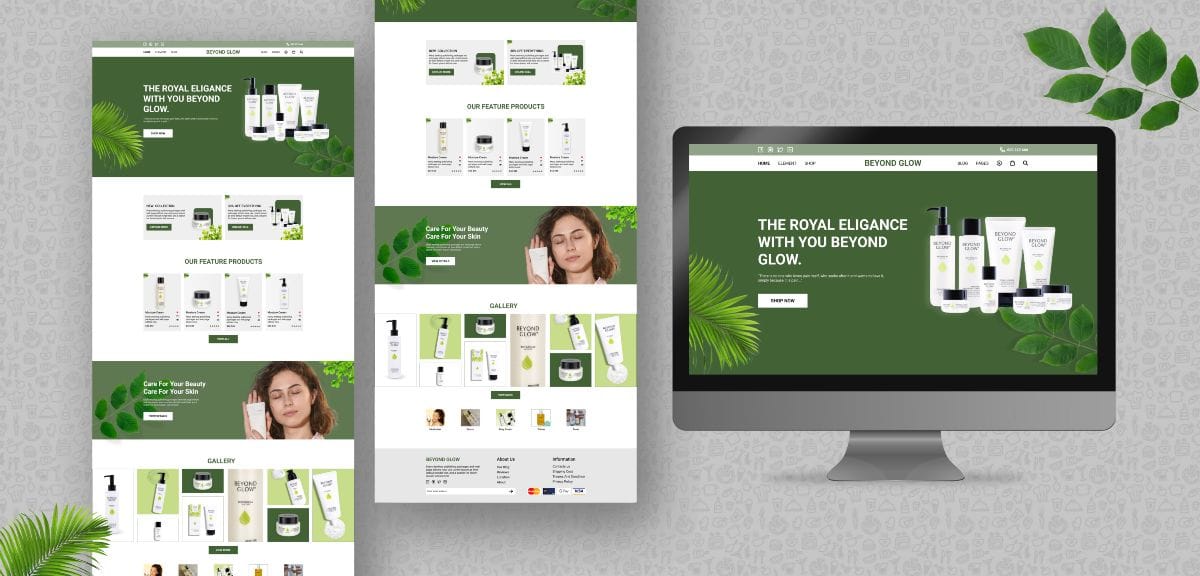
Imagine you want to build a house, but you have no knowledge of architecture or construction. A website template is like a pre-made plan that allows you to create your website without having to create the design from scratch.

In technical terms, A web template is a set of predefined files that establish the design, structure, and visual style of a website. It is made up of HTML, CSS, and in many cases, JavaScript, which determine how each section of the website will look.

Templates allow anyone, with or without programming knowledge, to have a functional website in no time. They are very useful on platforms like Wordpress, Joomla, Shopify y Prestashop, where users choose a default design and customize it to their liking.

Difference between Web Templates and Themes

Many people use the terms "template" and "theme" interchangeably, but they are not the same.

  • Web template: It is the default layout of a specific page within a website.
  • Website theme: It is a set of templates that define the complete appearance of the website.

📌 Example: En Wordpress, a theme includes several templates (example: one template for the home page, another for the blog, and another for the contact pages).

How Does a Template Work on a Web Page?

Templates work like a structural skeleton from a website. Here's a practical example:

  1. The user installs a template in your CMS (such as WordPress or Joomla).
  2. Upload content (text, images, videos) which is placed in the default sections.
  3. Customize colors, fonts and layout without touching the code.
  4. The browser interprets the template and displays the website visually to visitors.

Types of Web Templates

Web templates have completely changed the way websites are designed. It's no longer necessary to start a website from scratch, as these templates provide pre-designed structures that can be customized to fit different projects. But not all templates are created equal: There are different types depending on their structure, compatibility, design and flexibility..

Next, we will explore the main types of web templates, their advantages and disadvantages, and in what situations it is best to use each one.

HTML and CSS Templates: Design from Scratch

HTML and CSS templates are the purest option for web design. They do not depend on a CMS , the Wordpress or Joomla, but are made up of HTML, CSS, and in some cases, JavaScript files.

When to Use an HTML and CSS Template?

If you need a light and fast website, without the need for a content management system.
If you want more control over code and customization.
If you don't need to constantly update the content.
If the website will be merely informative and does not require databases.

Advantages of HTML and CSS Templates

✔️ Fast loading and SEO optimization: Because they don't rely on databases, HTML websites typically load faster and have cleaner code.
✔️ They do not require constant maintenance: No need to update a CMS or plugins.
✔️ Further customization: Since you have direct access to the code, you can modify any aspect of the design.

Are you interested in reading:  What is a PBN and How Does it Work? Advantages, Risks, and Best Practices

Disadvantages of HTML and CSS Templates

They do not allow dynamic content management: If you need to publish articles or update information frequently, you'll need programming skills or knowledge of using a CMS.
Requires technical knowledge: Although there are visual editors for HTML, most changes require manually modifying the code.
Less scalability: Not ideal for large sites with lots of dynamic functionality.

Templates for CMS (WordPress, Joomla, Drupal, etc.)

The CMS (Content Management Systems) have democratized the creation of websites. They allow use predefined templates that can be modified without touching code.

When to Use a CMS Template?

If you want a website that's easy to manage and update without technical knowledge.
If you need to integrate additional features with plugins or modules.
If you want scalability and customization without touching code.
If you plan to use the website long-term with constant updates.

Examples of Popular Templates by CMS

📌 WordPress: Astra, GeneratePress, OceanWP, Divi.
📌 Joomla: Helix Ultimate, Gantry, Purity III.
📌 Drupal: Bootstrap, Zymphonies, AdaptiveTheme.

Responsive vs. Non-Responsive Web Templates

🔹 A responsive template adapts to any device (mobile, tablet, PC) adjusting its content automatically.
🔹 A non-responsive template maintains a fixed size and it doesn't fit well on small screens.

Example of Use:

A corporate website or Online store you definitely need a responsive template.
An internal website or online document may use a fixed template.

Free Templates vs. Premium Templates

One of the most common questions when choosing a web template is: Is it worth paying for a premium version or is a free version enough?

Feature
Free Template
Premium Template
Price
Free
Paid ($20 – $300)
Personalization.
High average
High
SEO optimization
It depends on the template
Advanced optimization
Loading speed
Generally good
Optimized for performance
Plugin Compatibility
Compatible with most
They usually have their own ecosystem of plugins
Updates
Occasional
Contact Us
Technical support
Not always available
It depends on the template, it is temporary or permanent support.
Ease of use
High (easy to use)
High (easy to use)
Predefined layout
It depends on the template
popular examples
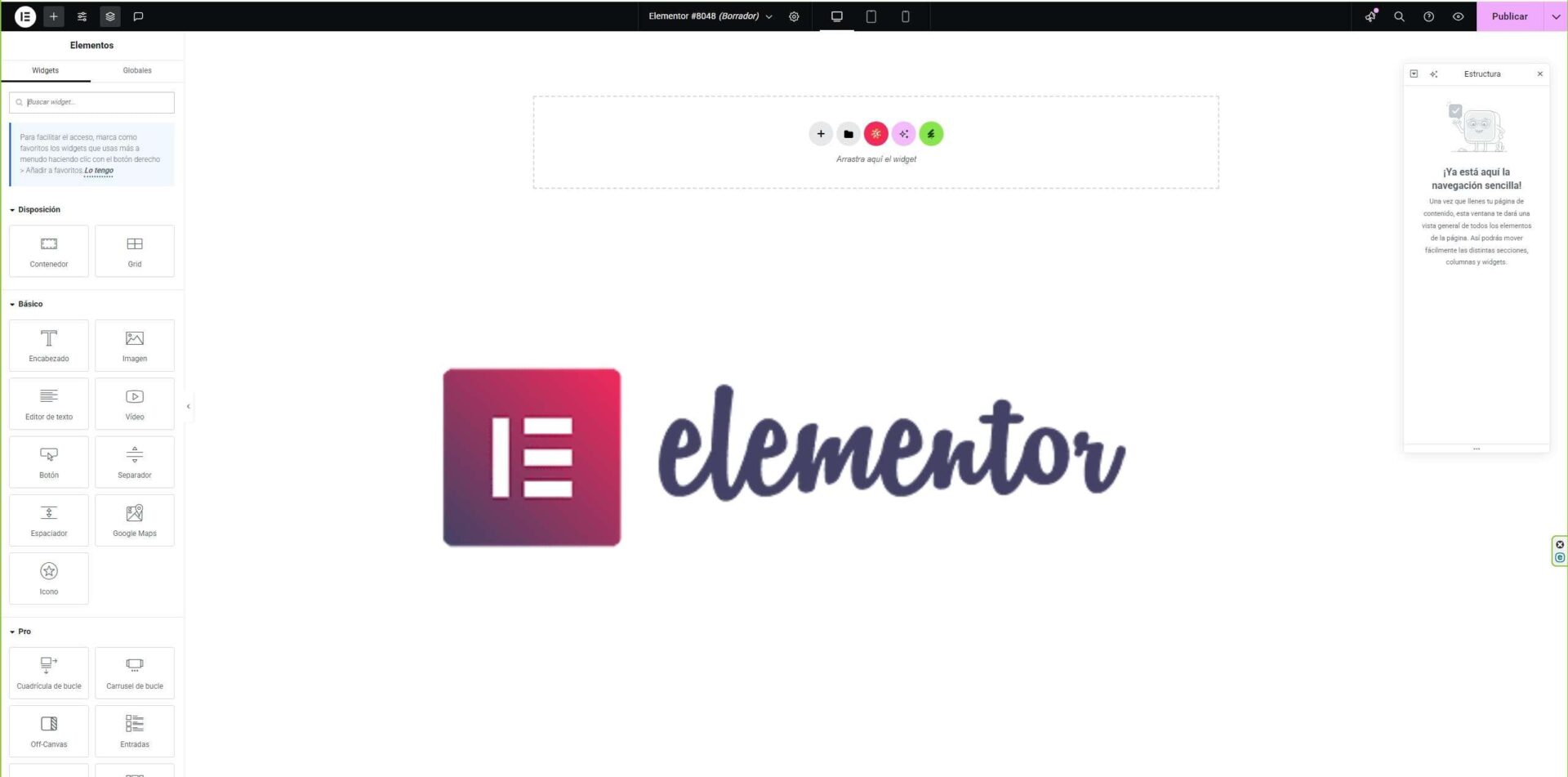
Hello Elementor, Astra Free, OceanWP Free, Neve, Twenty Twenty Five
GeneratePress Premium, Divi, Avada, Salient, Flatsome

How to Know Which Template a Website Uses?

Sometimes you come across an incredibly well-designed website and wonder, "What template is it using?" Fortunately, you don't need to be a coding expert to find out. There are several tools that allow you to analyze the design of any page and discover which web template it's using.

Methods to Identify a Web Template

There are several ways to find out what template a website uses, depending on whether it is developed in WordPress, Joomla, Shopify, or other platforms:

Using Automatic Tools

They are the fastest and easiest option for detecting templates in WordPress and other CMS.

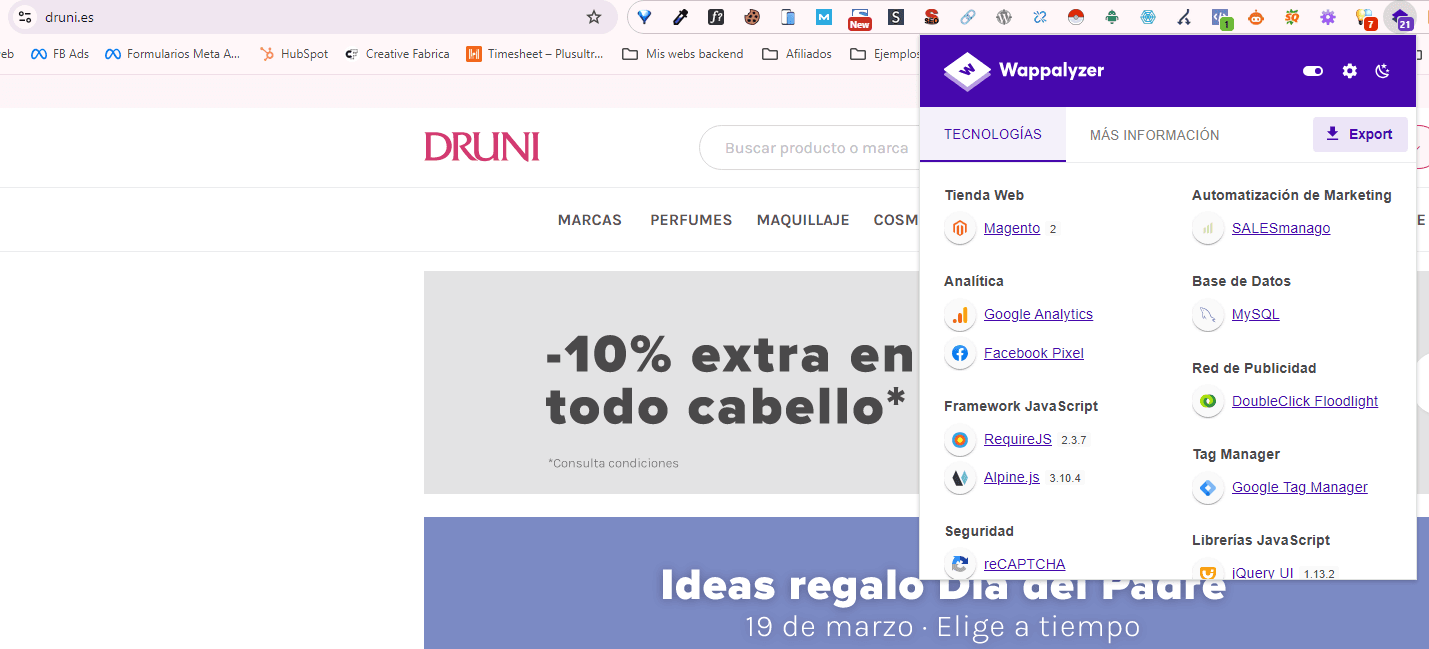
What WordPress Theme Is That

WP Scan

  • It works in a similar way, but in many cases offers more detailed information.
  • URL: https://scanwp.net

Wappalyzer

BuiltWith

wappalyzer extension

Inspect the Source Code Manually

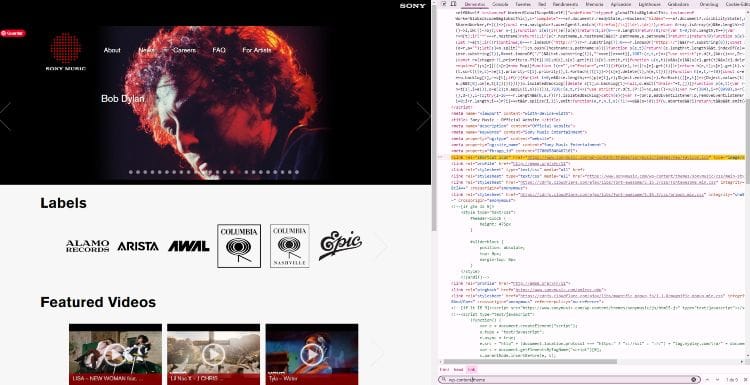
If you prefer the manual method or if the website is not in WordPress, you can find out by inspecting the code:

  1. Right click anywhere on the web and select "To inspect" (Chrome, Firefox) or press F12.
  2. In the Elements, search the code for keywords like:
    • wp-content/themes/ (for WordPress)
    • template o theme
    • skin.css o style.css
  3. If you see a URL like the following, the template is Astra:
				
					https://tusitioweb.com/wp-content/themes/astra/style.css


Which Template Should You Choose According to Your Project?

Key Factors for Choosing a Web Template

Speed and SEO optimization

  • Choose a lightweight template optimized for Core Web Vitals (Google values speed).
  • Example: GeneratePress, Hello Elementor or Astra.

Plugin and module compatibility

  • If you use WordPress, make sure the template is compatible with Elementor, WooCommerce, etc.
  • For Shopify, check that the template allows for code-free customization.

Ease of customization

  • Some themes require advanced knowledge, while others have visual editors.

Frequency of updates and support

  • A common mistake is choosing a template without regular updates.
  • Premium themes like Avada have active support and constant improvements.

Common Mistakes When Choosing a Web Template

Choosing the wrong template can lead to long-term problems. Here are the most common mistakes and how to avoid them:

Choosing a template without mobile optimization

More than 60% of web traffic comes from mobile devices. Solution: Make sure your template is responsive and loads quickly on smartphones.

Not checking compatibility with the CMS or hosting

Some templates require a powerful server and won't work on any cheap hosting. Solution: Check the requirements before installing.

Using a template without updates or support

If the theme isn't updated, it can lead to security issues. Solution: Look for active themes in official repositories or trusted marketplaces.

The Future of Web Templates

The world of web design is constantly evolving, and web templates are no exception. With the advent of new technologies, such as artificial intelligence, no-code design, and extreme SEO and speed optimization, the templates of the future will be more powerful, flexible, and accessible than ever.

It's no longer just about choosing an attractive template, but about finding solutions that improve the user experience, facilitate website maintenance, and adapt to the new rules of search engine optimization.

Below, we explore some of the key trends that will shape the future of web templates in 2025 and beyond.

Artificial Intelligence applied to web design

AI is revolutionizing many sectors, and web design is no exception. Currently, there are already tools such as Wix ADI (Artificial Design Intelligence) that allow you to create complete websites without human intervention, simply by answering a few questions about the business.

However, this technology is rapidly expanding and will evolve to offer:

Generate custom templates in secondsInstead of choosing from thousands of predefined templates, AI will be able to create a unique design based on the user's needs.

Automatic design optimizationAI algorithms will be able to analyze user behavior on the web and adjust colors, fonts, element sizes, and structure to improve conversion and browsing experience.

Content suggestions based on machine learningWant to improve your website without hiring a designer? AI can suggest visual and structural changes based on industry trends.

Ultra-fast templates optimized for Core Web Vitals

Google has made it clear that loading speed and user experience are determining factors for search engine ranking. In the coming years, web templates will be designed with an absolute focus on Core Web Vitals, Google's three pillars for evaluating the experience on a website:

LCP (Largest Contentful Paint): Extreme optimization so that the main content loads in less than 2,5 seconds.

FID (First Input Delay): Reduced response time for a smoother interactive experience.

CLS (Cumulative Layout Shift): Eliminating unexpected page scrolling, avoiding user frustration.

The templates of the future will be programmed to:

Remove unnecessary dependencies (heavy fonts, unoptimized JavaScript, redundant codes).

Are you interested in reading:  Google Search Console: What It Is, How to Use It, and Its Benefits

Use images in WebP format and lazy loading to reduce loading time.

Automatically optimize based on the user's device and connection.

Example of templates that are already setting trends in this regard: Hello Elementor, GeneratePress, Neve and Astra.

Evolution of No-Code Design

The motion no-code has gained great relevance in recent years, allowing entrepreneurs, content creators, and companies to build websites without programming knowledge. Platforms such as Webflow, Elementor, Bricks and Framer are taking this trend to the next level.

🔹 How does this affect the future of web templates?

Less need for manual coding: Templates will be fully visually editable, without the need to touch HTML, CSS, or JavaScript.

Greater flexibility and customizationTraditional templates tend to be limited in structure and design. New templates will be more modular, allowing you to reconfigure any element without breaking the design.

Integration with advanced tools: Templates will be optimized to work with automations and advanced customization with tools like Zapier, Make, Airtable, and real-time databases.

🔹 Examples of popular No-Code templates:

  • Webflow Templates: Templates that allow absolute control over the structure without the need for programming.
  • Bricks Builder: A revolutionary alternative to WordPress with 100% visual design and no limitations.
  • Framer Sites: The new frontier of no-code web design, focused on animations and performance.

Frequently Asked Questions about Web Templates

It depends on the type of website, but Astra, GeneratePress, and Hello Elementor are very popular options.

Using a child theme or editing via custom CSS.

Yes, in most cases, but it depends on the template license.

En ThemeForest, TemplateMonster and official repositories of each CMS.

"Theme" is a broader term that encompasses the entire site design, while a template can refer to a specific page or structure within a theme.

Conclusion

Web templates have evolved to make it easier to create websites without technical knowledge. Now, anyone can design a professional website in minutes, but Choosing the right template remains key.

If you are looking for speed and performance → Use a premium template optimized for Core Web Vitals.
If you want maximum customization → Opt for a No-Code template with a visual builder.
If you have a small project → A well-optimized free template like Hello Elementor may be sufficient.
If you prioritize SEO and speed → GeneratePress or Astra are winning options.

🚀 Trends to watch out for:

  • Artificial intelligence will change the way templates are created.
  • The templates of the future will be designed to be ultra-fast and meet Google standards.
  • No-code design will continue to grow, allowing for customization without programming.

📌 💡 Do you already have your favorite web template? Leave us a comment about your experience. 😊

Table of Contents

Share me on your social media
Best Hosting in Spain
LucusHost, the best hosting
Best VPS in Spain
Raiola Networks
Share me on your social media

Related Entries

google shopping

What Is Google Shopping and Why Is It Key in E-commerce?

image of buying clothes in ecommerce

Shopify: What It Is and How It Works for Creating Online Stores

mIRC

mIRC: What It Is and Why It's Still Relevant

friendly url

What is a friendly URL? How to optimize it?

irc chathispano

IRC: What It Is, How It Works, and Why It's Still Relevant

wordpress what is

What is WordPress and what is it for?

data center

What Is a VPS? A Simple Explanation and Common Uses

what is a web template

Web Templates: What They Are, Types, and Which One to Choose for Your Website

breadcrumbs

What Are Breadcrumbs and Why Are They Important in SEO?

PBN

What is a PBN and How Does it Work? Advantages, Risks, and Best Practices

screenshot google search console

Google Search Console: What It Is, How to Use It, and Its Benefits

Accessibility options

Quick Presets
font Size
Line Height
Letter spacing
color Schemes
text alignment
Options
Reading & Focus
Read Aloud Method
Speed: 1x
Cursor Size